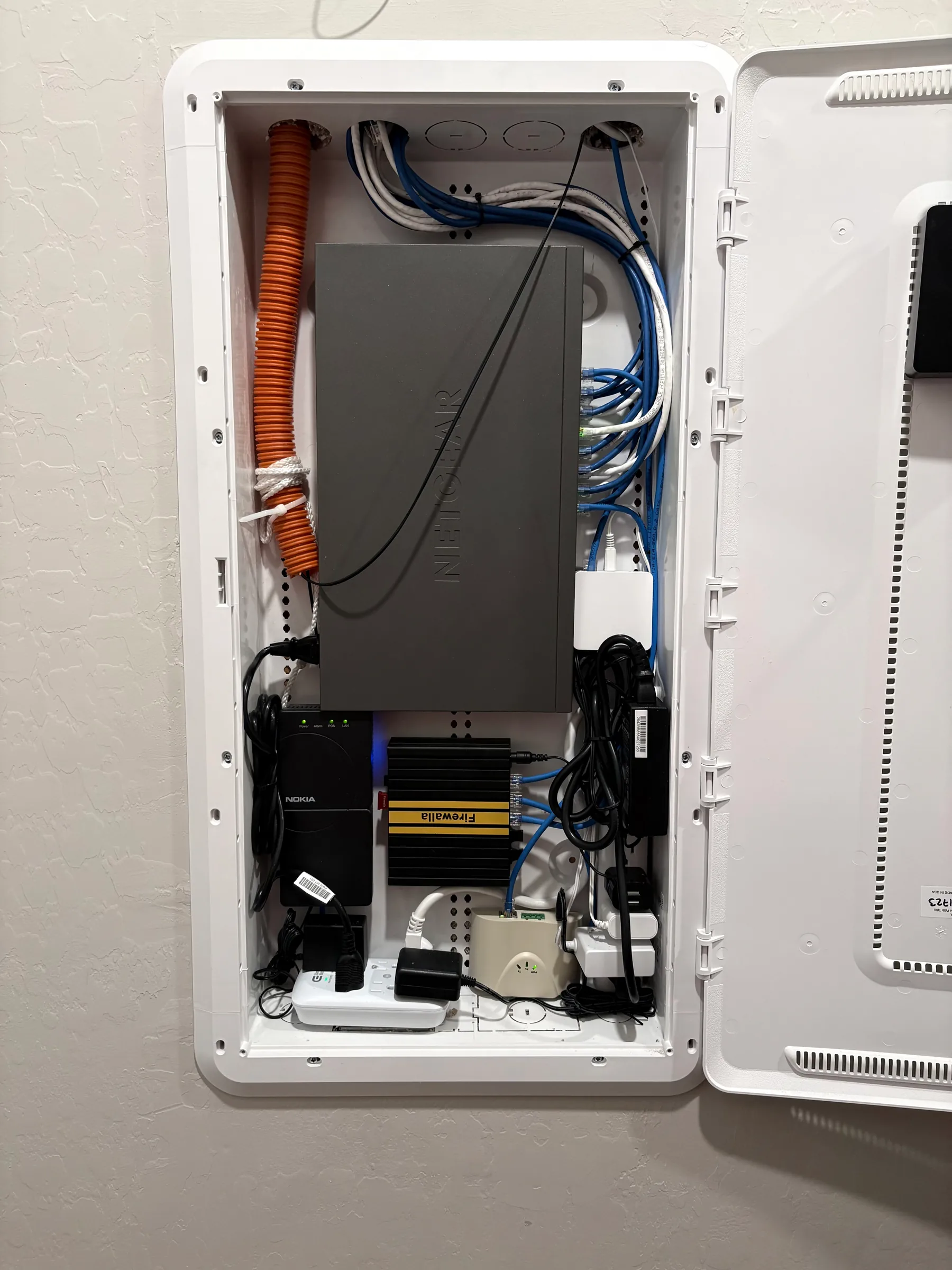
Dead Zones in Your Home
Some rooms just don't get signal. We find out why and fix it with the right hardware placement or cabling.
A bad network slows everything down. We set it up right the first time.
Dead zones, dropped connections, and slow speeds are annoying. They cost you real time and money. Henderson homes built in the 1960s and 80s near Water Street often have outdated wiring. This wiring can't keep up with today's devices. Even newer Green Valley homes have CAT5 runs. They may need an upgrade to handle remote work and streaming at the same time. And in our desert climate, dust buildup from spring winds can quietly degrade your hardware too. Putting off a proper network install usually makes things worse. A weak setup gets harder and more expensive to fix the longer it sits. [Structured cabling](https://en.wikipedia.org/wiki/Structured_cabling) standards exist for good reason, and we follow them on every job.
Some rooms just don't get signal. We find out why and fix it with the right hardware placement or cabling.
Moving into a new space is the best time to get the network done right. We plan it from the start so you don't have to redo it later.
You're paying for fast Cox or CenturyLink speeds but not getting them. Often the problem is your internal network, not the provider.
Green Valley has a lot of remote workers. A home network built for casual browsing won't cut it for video calls and large file transfers.
Older Henderson homes often have CAT3 or CAT5 wiring. We can upgrade to CAT6 so your speeds match what your devices can actually do.
More devices mean more demand on your network. We set up the infrastructure before you add cameras, smart locks, or home automation gear.
A sloppy install leaves you with problems you can't see right away. Cables run through walls the wrong way. Routers placed where signal can't reach. We've seen it a lot. As a veteran-owned business, we do the job straight and explain what we did and why. No jargon. No upselling gear you don't need. Just a network that works.
The process is straightforward and we keep you in the loop at every step.
We start by talking through what you need. Then we look at your space. We check existing wiring, router placement, and how many devices you're running.
After the review, we give you a clear quote. No hidden fees. You know exactly what you're getting before we touch anything.
We run the cables, set up your hardware, and configure everything. Then we test every connection. We don't call it done until it's actually working.
What you pay depends on the size of your space and what's already in place. A small apartment with basic needs costs less than a multi-room home that needs new cabling. Older Henderson homes near Water Street often need more labor because the existing wiring has to be replaced. Anthem and Seven Hills homes with newer infrastructure usually go faster. Either way, you'll get a straight number before we start. No surprises at the end.
Here are the questions we hear most from Henderson homeowners and businesses.
Most Henderson installs run between $150 and $1,200 depending on the job. A basic router setup costs less than a full CAT6 wiring job across multiple rooms. Older homes near Water Street often need more work than newer builds in Green Valley. We give you a firm price before starting so you're never guessing.
A straightforward setup usually takes two to four hours. Larger homes or jobs that need new cabling can take a full day. We'll give you a time estimate during the consultation. And we don't rush work that needs to be done carefully.
You can, but most DIY setups leave coverage gaps or security holes. We've come in after a lot of self-installs that looked fine but had real problems underneath. If your home is simple and small, a basic router might be enough. But if you've got multiple floors, thick walls, or a home office, a professional install pays for itself.
WiFi setup is just placing a router and connecting devices. Full network installation includes planning cable runs, setting up wired connections, configuring switches, and making sure everything is secure. For most Henderson homes with remote workers or smart devices, a full install is the better option. It's more reliable and easier to expand later.
If your work depends on a stable connection, don't wait. A bad network gets worse over time, not better. Last month a customer in Green Valley called us after months of dropped video calls. The fix was straightforward, but they'd lost a lot of productivity before reaching out. The sooner you address it, the less it costs you.
Slow speeds in certain rooms, frequent disconnects, and devices that won't stay connected are the clearest signs. If your router is more than five years old, that's another flag. Henderson's dust storms can also clog up older hardware and cause performance drops you might not connect to the network. If something feels off, it probably is.
Yes, and we recommend it for most Henderson homes and offices. CAT6 handles faster speeds and is more resistant to interference than older CAT5 wiring. Many homes built before 2010 are still running on CAT5 or CAT5e. Upgrading the cabling makes a real difference, especially if you're running a home office or gaming setup.
Don't keep dealing with slow speeds and dropped connections. Call us and we'll get your Henderson home or business connected the right way.
(702) 265-6819Complimentary first consultation on applicable jobs · Serving Henderson, Las Vegas & the surrounding valley